
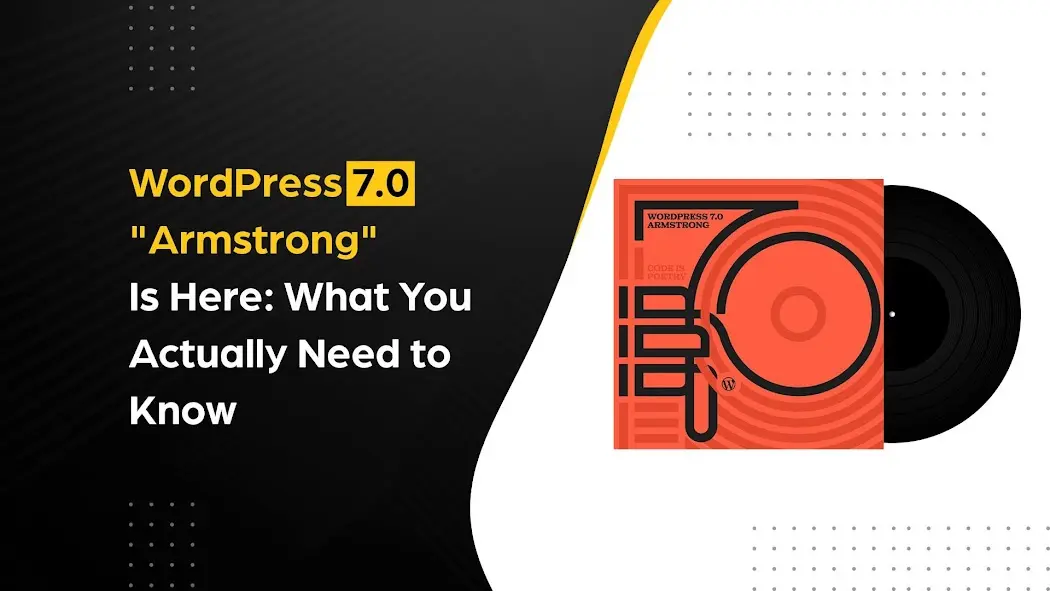
WordPress 7.0 “Armstrong” just landed, and it’s worth paying attention to. New blocks, a smarter admin, built-in AI foundations, and a redesigned way to see your revision history. Here’s everything that actually changed.
WordPress version numbers don’t usually feel like a big deal. A.1 here, a.2 there, some security patches. But 7.0 is genuinely different. This release marks the official start of Gutenberg Phase 3: Collaboration, which means the project is shifting from just “better editing” to “better editing with other people.” That’s a meaningful leap.
The release was originally scheduled for April 9, 2026, at WordCamp Asia, but the team pushed it back to May 20 to prioritize, in their words, “extreme stability.” And honestly, for a release this significant, that’s the right call. Here’s what shipped.
AI INTEGRATION
WordPress Now Has a Native AI Layer (and It’s Plugin-Friendly)
This is probably the most forward-looking part of 7.0. WordPress isn’t trying to ship its own AI model or force you into a specific tool. Instead, it’s building the plumbing so that AI integrations actually work well in the WordPress ecosystem.
The new WP AI Client is a unified interface at the core level. Connect your OpenAI, Anthropic, or Google API key through the new Connectors framework, all managed from a single central hub in the dashboard, and both the core’s own AI Experiments plugin and any third-party plugins that support the interface can use it. No more every plugin managing its own separate AI setup.
| WHAT THE CONNECTORS API ENABLES: Plugin developers can now register their plugin’s AI capabilities through the Abilities API. When you use an AI assistant inside WordPress, it can recognize and use those registered capabilities. For site owners, this means your AI tools know your site’s actual structure and features, not just generic web content. |
Client-Side Abilities Package
Beyond the server-side Abilities API, 7.0 also ships a new Client-Side Abilities package, a JavaScript counterpart with a built-in UI and command palette that delivers new and hybrid AI abilities directly in the browser. This is what powers AI interactions inside the editor without a page reload.
The AI Experiments Plugin, What It Actually Does
Install the official AI Experiments plugin, and you get immediate first-party capabilities: generate and edit images, create post titles or excerpts automatically, and get alt text suggestions for your media. The plugin is the official showcase of the new AI foundation, and it’ll grow substantially as the ecosystem matures over the next year.
Practical use cases out of the box include automated text drafting, content analysis, and SEO suggestions through compatible plugins. The real payoff will come as the ecosystem builds on top of this foundation over the next year.
THE HONEST PART FIRST
Real-Time Collaboration
This one stings a bit. Real-time co-editing, the Google Docs-style feature where multiple users edit the same post simultaneously, was the headlining promise of 7.0. It got removed on May 8, just days before launch.
The reason wasn’t laziness or lack of effort. Developers ran into serious issues around how simultaneous editing sessions interact with persistent post caches, plus race conditions and memory load under fuzz testing. The team decided not to ship something broken just to meet expectations.
| NOTE: Real-time co-editing is still a core priority. It’s actively in development and expected to land in a future release, likely 7.1 or later. For now, the “this post is being edited” lock screen stays. |
PRIORITY FEATURE
Visual Revisions: Finally, a Revision History That Makes Sense
This is the standout feature of 7.0. Previously, WordPress revisions were a wall of raw text diffs, the kind that required squinting at both versions and manually figuring out what changed. Not anymore.
The new revisions screen lives right inside the block editor and gives you an actual visual preview of what changed. Changes are color-coded so you can see at a glance what was added, removed, or modified. It’s the kind of thing that makes you wonder why it took this long and also why it wasn’t there from the start.
- Visual preview mode shows the post as it would render, not raw markup.
- Color-coded diffs so additions and deletions are immediately obvious.
- Works for both posts and pages in the block editor.
- Accessible directly from the editor sidebar, no separate screen needed.
- Better template/pattern revision tracking, and it now extends beyond posts and pages
If you manage content with a team, or if you’ve ever published something by mistake and wished you could easily roll back, this alone makes the update worth it.
COLLABORATION
Notes and Async Feedback Are Actually Good Now
Real-time editing may be on hold, but async collaboration got a real upgrade. The Notes feature now lets you leave targeted comments attached directly to specific blocks inside the editor. Select a block, hit “Add Note,” drop your feedback, and @mention a teammate. They get an email notification without anyone having to leave the WordPress dashboard.
- Notes are attached to specific blocks, not just the post as a whole.
- Supports @mentions with automatic email notifications.
- New keyboard shortcut to add inline comments faster.
- Notes now sync in real time once a WebSocket provider is configured.
For editorial teams, this essentially replaces the chaotic “feedback in a separate Slack thread” workflow. Everything stays tied to the actual content.
NEW IN CORE
Two New Blocks, and Some Old Ones Got Smarter
WordPress 7.0 ships two brand-new blocks that a lot of people have been reaching for plugins to handle. They’re now in the core, which means no extra weight for things you probably already need.
Breadcrumbs Block
Auto-generated breadcrumb navigation for posts and pages. No more relying on your theme or a plugin just to show where you are in a site hierarchy.
Icon Block
Drop SVG icons inline in your content without wrestling with HTML or custom code. Great for feature lists, callouts, and UI-style layouts.
Improved Blocks Worth Knowing About
- Responsive Grid Block: Layouts that actually reflow properly on different screen sizes, without extra CSS work.
- Image Block: Inline editing controls now live closer to the image itself, so alt text and captions are easier to get right.
- Cover Block: Video embeds inside Cover blocks are now handled more cleanly.
- Heading Block: New variations let you define styled heading presets and reuse them across your content.
- Paragraph Block: Now supports text indentation and multi-column layouts natively, without any plugins.
- Gallery Block: Lightbox navigation is smoother and more predictable.
- Query Loop: More control over how dynamic content lists are structured and filtered.
- Verse Block: Renamed to “Poetry Block.” Minor, but appropriate.
| NEW: Customizable Navigation Menu Overlays This wasn’t widely covered before launch, but it shipped. You can now design and build your menu overlay entirely with blocks and patterns, adding columns, stylizing typography, or embedding a custom close button in the overlay. Start with a template or create your own menu from scratch. This is the kind of design control that previously required a page builder or custom theme work. Now it’s built in. |
EDITOR IMPROVEMENTS
The Block Editor Got a Bunch of Genuinely Useful Upgrades
Some of these are small, but they’re the kind of small that saves you five minutes every single day.
- Custom CSS per block: Write scoped CSS on any individual block without touching the theme or a custom CSS file. Long overdue.
- Viewport-based block visibility: Show or hide specific blocks depending on whether you’re on mobile, tablet, or desktop. Editors control this directly from the sidebar.
- Responsive breakpoint customization: You can now also customize what those breakpoints actually are, not just toggle visibility per device. (Added from official release notes)
- Paste color values in the color picker: Just paste a hex or RGB value rather than manually picking it. Small thing, enormous time saver.
- Dimension presets: Set width, height, and spacing as reusable presets so you’re not re-entering the same values every time.
- Link control validation: The editor now warns you when you link to a broken or invalid URL before you hit publish.
- Patterns treated as a single block: Synced patterns now behave more coherently. Editing them feels cleaner and less prone to layout surprises.
- Aspect ratios for wide/full image alignment: Defined aspect ratios now apply correctly when images are set to wide or full width.
- Extra divs removed from blocks in the editor: Cleaner markup, fewer layout quirks, and better parity between editor view and frontend.
ADMIN & DASHBOARD
The WordPress Admin Feels Like a Different Place
If you’ve been using WordPress for a few years, the admin UI has always felt a bit frozen in time. That’s changing. Not all at once, but 7.0 brings the most visible update to the dashboard in recent memory.
- Animated page transitions: Navigating between admin screens now has smooth transitions instead of hard reloads. It sounds cosmetic, but it genuinely changes how the dashboard feels to use.
- Dynamic DataViews: The classic static admin list tables are getting replaced with React-based DataViews that support instant filtering and sorting without a page reload.
- Improved dropdowns, tooltips, and panels: More consistent UI components throughout the backend.
- Font management for all themes: The font upload and management screen is now available under Appearance for both classic and block themes.
- Command Palette in the admin bar: Hit ⌘K / Ctrl+K, type what you want to do, and jump there immediately.
- Client-side image processing: Images are now processed in the browser before uploading instead of on the server; it is faster, uses fewer server resources, and adds support for more modern image formats.
- View Transitions: Smoother, animated UI state changes throughout the admin experience.
| “WordPress 7.0 marks the start of a new era, laying the foundation for AI across the WordPress experience.” — Matias Ventura, Release Lead, WordPress 7.0 · make.wordpress.org |
FOR DEVELOPERS
Developer Experience Took a Big Step Forward
If you build blocks or plugins, 7.0 has a few things you’ll genuinely appreciate.
- Gutenberg versions are now merged directly into core: What used to be a separate plugin delivering bleeding-edge block features is now the standard release cadence. Translation: new block features arrive faster, with fewer compatibility headaches between environments.
- PHP-only block registration: You can now register and render blocks entirely in PHP, without a JavaScript build pipeline or React. For simple server-side blocks that never needed JS anyway, this is a massive simplification.
- Pattern Overrides for custom blocks: Developers can allow specific content areas within synced patterns to be customized per instance without breaking the sync.
- DataViews, DataForm components, and Fields API: A new structured way to build admin list screens and forms that play nicely with the modernized admin.
- Anchor support for dynamic blocks: Dynamic blocks can now be targeted by URL anchors, opening up better in-page navigation for query-driven content.
- Script module translation polyfill: Plugins targeting older WordPress installs get broader backwards compatibility for translated script modules without any code changes.
- UI Primitives and Components: New reusable UI components that plug developers into the same design system as the core.
| NEW: More Extensible Site Editor The Site Editor is now significantly more extensible. It ships with proper routing, route validation, and a new WordPress/boot package that allows plugins to build their own custom pages inside the Site Editor. This is a big deal for plugin developers; it means third-party tools can integrate at a much deeper level than before, without hacking around the core UI or building separate admin pages. |
The PHP-only block changes especially deserve a mention. It’s philosophically significant, acknowledging that not everything needs the full Gutenberg JavaScript stack and that the barrier to building custom blocks was too high for a lot of legitimate use cases.
UNDER THE HOOD
Performance Improvements That Show Up in Real Numbers
Every major WordPress release ticks the performance box, but 7.0’s changes are worth noting specifically because they target areas that actually matter for real-world sites.
- Optimized block rendering reduces overhead when rendering complex layouts with many nested blocks.
- Improved database queries trim server response time (TTFB), which directly affects your Google Core Web Vitals score.
- Enhanced lazy loading for images and media; more intelligent about what actually needs to load when.
- Client-side image processing reduces server load during media uploads significantly.
None of these are silver bullets, but together they make a measurable difference, especially on shared hosting or high-traffic sites.
BEFORE YOU UPDATE
One Thing to Check Right Now: Your PHP Version
WordPress 7.0 requires PHP 7.4 or higher, while PHP 8.2+ or 8.3+ is recommended for best performance and compatibility. You’ll keep getting security updates, but new features won’t come through until you upgrade your PHP version.
Less than 4% of monitored WordPress installations are still on 7.2 or 7.3, so this probably doesn’t affect you, but it’s worth checking before hitting the update button.
| UPDATE CHECKLIST: Before upgrading any production site, do three things: check your PHP version, create a full site backup, and test on a staging environment first. Plugin and theme conflicts are rare with stable major releases, but they do happen, and a staging test catches them before your users do. |
A Community Effort
WordPress 7.0 reflects the tireless efforts of more than 900 contributors in countries all over the world, with over 279 first-time contributors joining for this release. Together, they delivered more than 420 enhancements and fixes, a testament to the scale and capability of the WordPress open source community.
The release squad was led by Matias Ventura (Release Lead), with Tech Leads Ella van Durpe, Mukesh Panchal, and Sergey Biryukov guiding the technical work. Release coordination was handled by Ahmed Kabir Chaion, Amy Kamala, and Mary Hubbard.
Over 21 web hosts tested pre-release versions to ensure compatibility, and more than 70 locales have fully translated WordPress 7.0 into their language, with more translations on the way.
So, Is 7.0 Worth the Update?
Yes, genuinely. The missing real-time collaboration is a letdown only if you were specifically waiting for it. Everything else that shipped is real, useful, and polished. Visual revisions alone will change how content review workflows operate for editorial teams. The admin modernization makes a daily difference. The AI foundation sets up the next two years of the ecosystem.
This is a release that shows the WordPress project knows where it’s going. Phase 3: Collaboration is underway, even if the marquee feature got pulled. The co-editing feature will come. The infrastructure for it is there; it just needs more time to be stable enough to ship at WordPress scale.
For now, update your PHP, back up your site, test your plugins, and upgrade. WordPress 7.0 is the real thing.
Need help making the jump to 7.0? 42Works offers staging-first updates, compatibility audits, and post-launch monitoring, because “extreme stability” shouldn’t stop at the release notes.
| Related Reads WordPress 6.8: Full Breakdown of Features and Enhancements How to Convert Your WordPress Site into a Lightning-Fast PWA How to Use WordPress Multisite to Create a Website Subdirectory |
FAQs
Is WordPress 7.0 safe to update yet?
Yeah, it’s safe. They delayed the release specifically to focus on stability, but just back up your site first like you always should.
Does real-time co-editing work like Google Docs?
Not yet, it got pulled days before launch due to technical issues. Still coming, probably in 7.1 or 7.2.
Can I still use the Classic Editor?
Yep, the Classic Editor plugin still works fine. Nothing in 7.0 forces you into blocks.
Will WordPress 7.0 break my theme?
Probably not, but test on staging if you’re using an older classic theme. Modern block themes are totally fine.
Do I need an AI key to use the new AI features?
For the generative stuff, yes. WordPress provides the plumbing, but you’ll need your own OpenAI or Anthropic API key.
What PHP version do I need for WordPress 7.0?
PHP 7.4 is the minimum, but go with 8.2 or 8.3 for better performance. PHP 8.4 works too but some plugins aren’t ready yet.
Where did the revisions screen go?
It’s now inside the block editor with visual previews and color-coded changes. No more squinting at raw text diffs.
Is the Gutenberg plugin still needed?
Nope, Gutenberg versions are now merged directly into core. One less plugin to worry about.
Will my old plugins work?
Most will, but test anything that touches the editor or admin UI on staging first. Contact forms and SEO plugins are generally fine.
How do I get the new Breadcrumbs and Icon blocks?
Just search for them in the block inserter. They’re both part of core now, no plugins required.
Does WordPress 7.0 support PHP 8.4?
Yes, but 8.3 is the safer recommendation right now. Some plugins haven’t fully caught up to 8.4 yet.
Can I hide blocks on mobile with this update?
Yes, there’s a new visibility control in the block sidebar. You can show or hide any block on mobile, tablet, or desktop.
What happened to collaborative editing?
They ran into race conditions and cache issues during testing. They chose to delay rather than ship something broken.
Will this update actually make my site faster?
A bit, client-side image processing and optimized database queries help. Nothing magical, but you might notice it on shared hosting.
I need help updating to WordPress 7.0. Who can assist?
Reach out to 42Works at contact@42works.net or call +91-9517770042. They’ve been testing this release since beta and can handle your upgrade smoothly.